Case study · Visit Leeds

A restaurant guide for a whole city, built from scratch.

The Leeds Restaurant Guide is the official place to discover where to eat in Leeds. We built the whole platform for Visit Leeds: the directory, AI search, restaurant owner accounts and a review dashboard for their team.

Client
Visit Leeds
Sector
Tourism and hospitality, Leeds
Services
Custom web platform, AI search, dashboards
Year
2026, launching soon
Related services
Websites & Systems · AI Solutions

The brief

Not just a website. A whole system.

Visit Leeds wanted one official guide to the city's restaurants that stays accurate without their team rewriting every listing by hand. We designed and built the platform from scratch.

Restaurant owners sign up, apply for their restaurant to appear, and submit offers. Visit Leeds is notified, reviews each draft in its own dashboard and decides what gets published. Once a restaurant is live, its owner has their own login to keep the page up to date, from opening hours to new offers.

Behind it, WordPress handles only the user accounts and roles. The directory, the sign-up and approval flow and both dashboards are custom built, so nothing looks or feels like WordPress.

What we built

  • A custom restaurant directory with filters
  • AI search that understands plain-English requests
  • Restaurant owner sign-up, applications and offers
  • A review and publishing dashboard for Visit Leeds
  • Unique logins for every restaurant
UX decisions

Every decision, and why we made it.

The guide serves three kinds of people at once: hungry visitors, restaurant owners and the Visit Leeds team. Each one gets a route designed around what they came to do.

  1. Search the way people actually talk

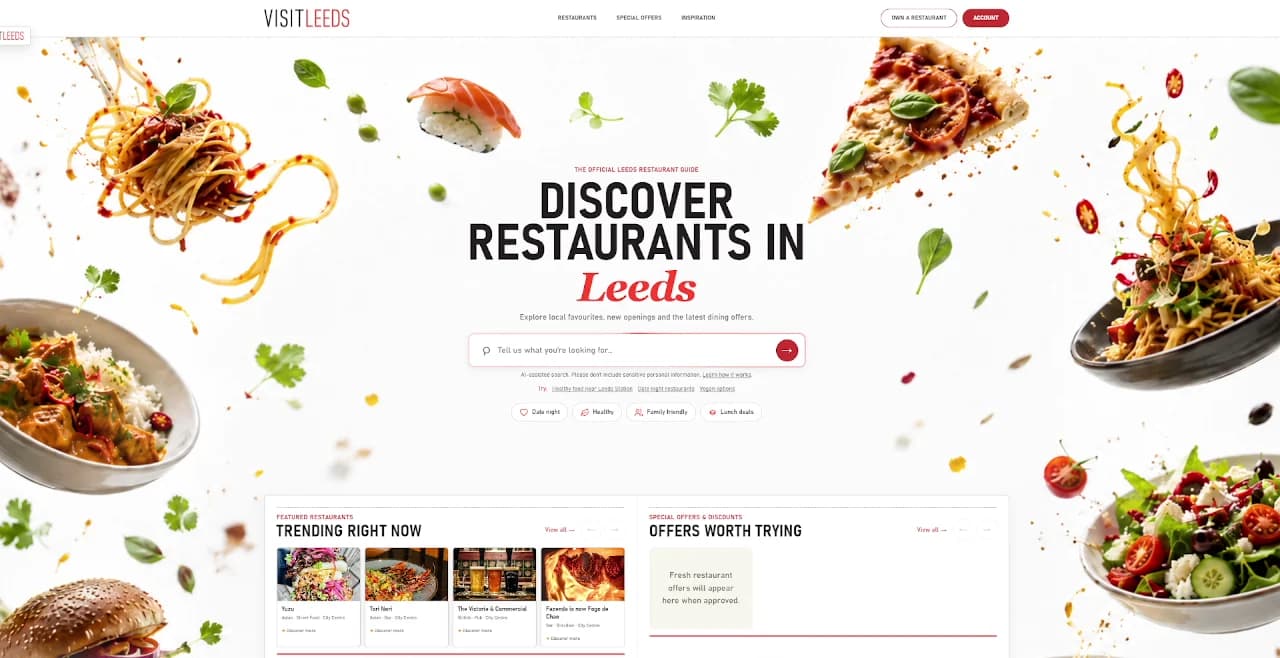
    The hero is a single search box: "Tell us what you're looking for". Visitors can type something like "healthy food near Leeds Station" and AI works out what they mean and returns matching restaurants. Example searches and quick chips (date night, healthy, family friendly, lunch deals) sit just below.

    Why it worksPeople don't think in filters, they think in sentences. Letting them ask in their own words gets them to the right restaurant faster than a menu of dropdowns, and the examples give anyone facing a blank box a one-tap way in.

    The Leeds Restaurant Guide homepage: Discover restaurants in Leeds, with an AI search box and suggestion chips
  2. Browse by the occasion

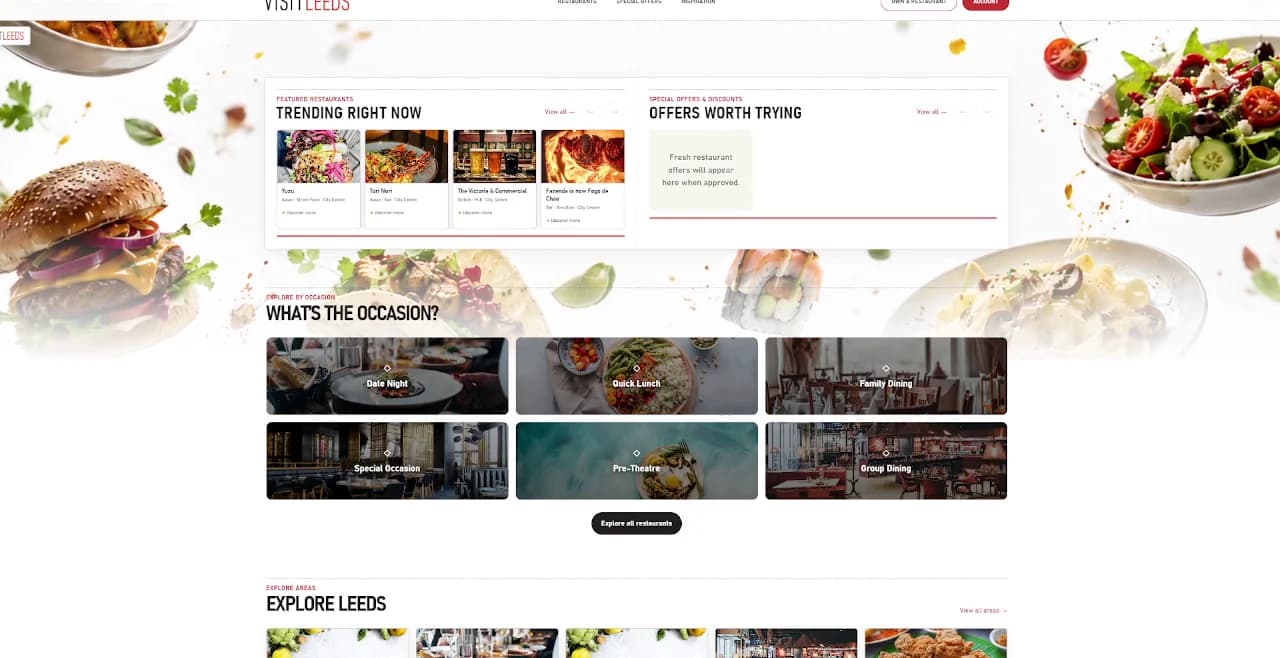
    A "What's the occasion?" grid offers date night, quick lunch, family dining, special occasion, pre-theatre and group dining.

    Why it worksPlenty of visitors don't know what they want to eat, only why they're going out. Starting from the occasion matches how people actually plan a meal.

    Trending restaurants and offers, above a What's the occasion? grid of six photo tiles
  3. Explore by neighbourhood

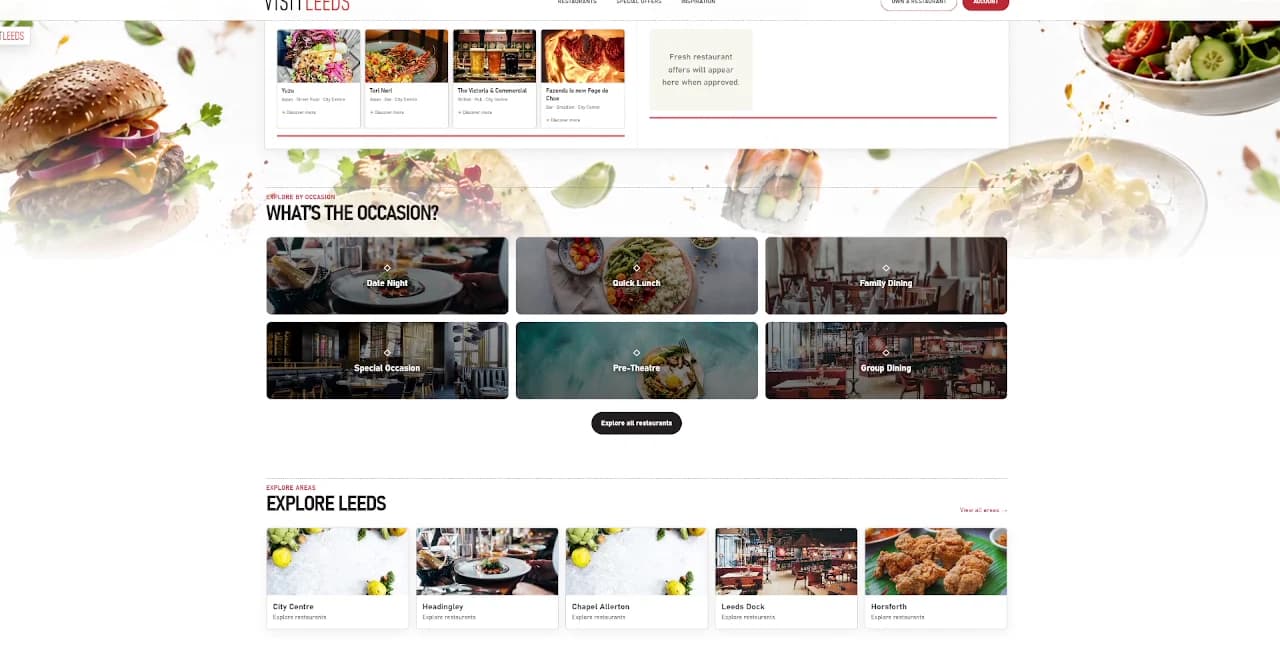
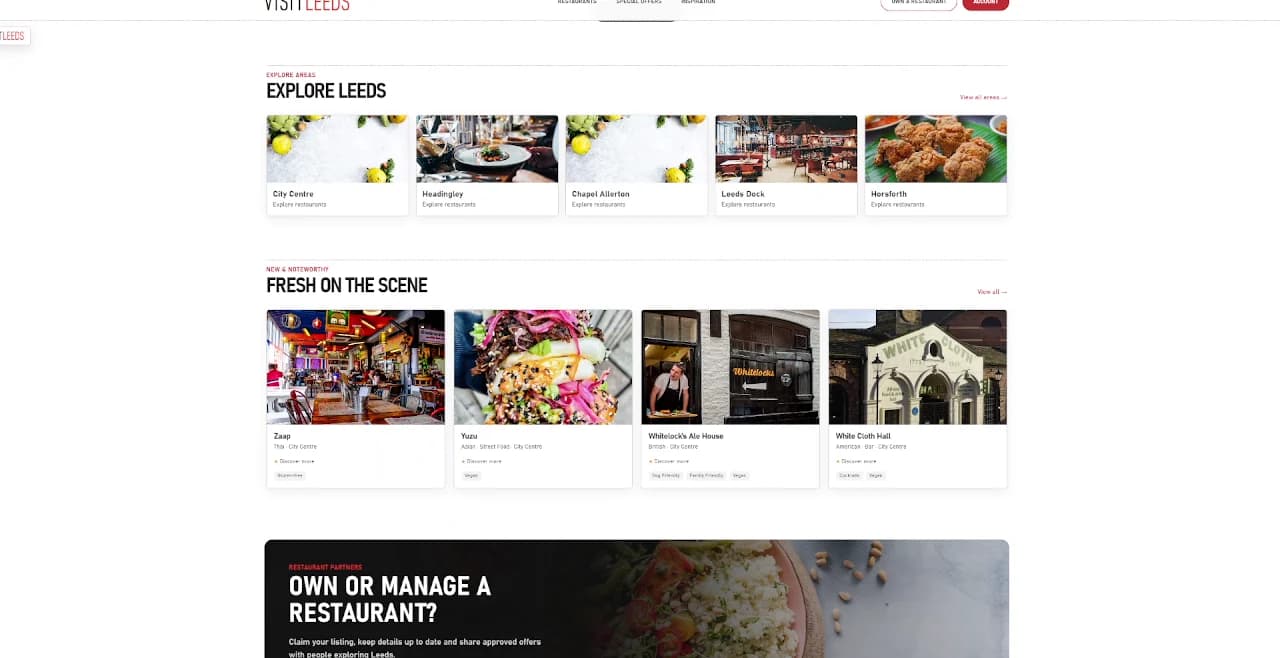
    Areas such as the City Centre, Headingley, Chapel Allerton, Leeds Dock and Horsforth each have their own tile, with new openings in "Fresh on the scene" below.

    Why it worksWhere you are often decides where you eat. Area tiles help visitors and locals discover places nearby, and new openings keep the guide feeling current.

    Explore Leeds area tiles above Fresh on the scene restaurant cards
  4. A clear door for restaurant owners

    Every page ends with "Own or manage a restaurant?" and two actions: manage your listing, or submit an offer.

    Why it worksThe guide only stays accurate if owners keep it up to date. Giving them an obvious, separate route in means they never have to hunt for it among content written for diners.

    The Own or manage a restaurant? panel with Manage your listing and Submit an offer buttons
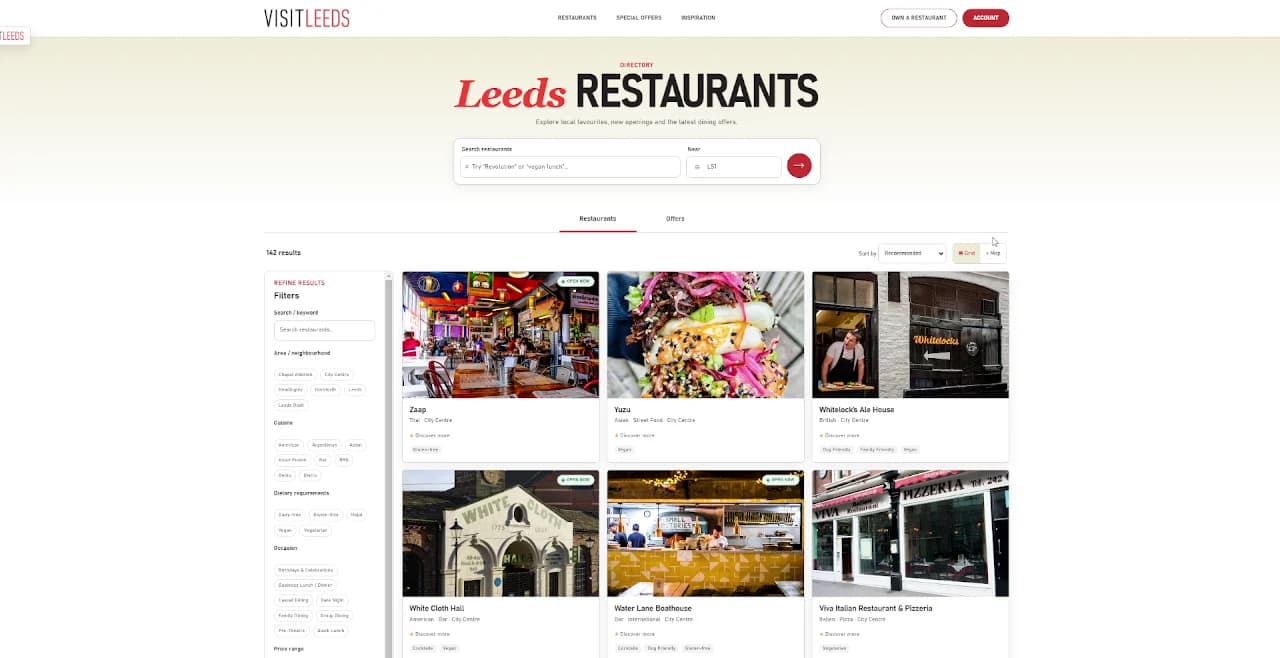
  5. The full directory, filtered your way

    The restaurants page shows every listing with a results count, switches between restaurants and offers, and lets visitors narrow by area, cuisine, dietary needs and price.

    Why it worksSome people prefer to browse properly. Filters that match real decisions, like dietary needs, let them shortlist quickly without reading every card.

    The Leeds Restaurants page with search, Restaurants and Offers tabs, filters and restaurant cards
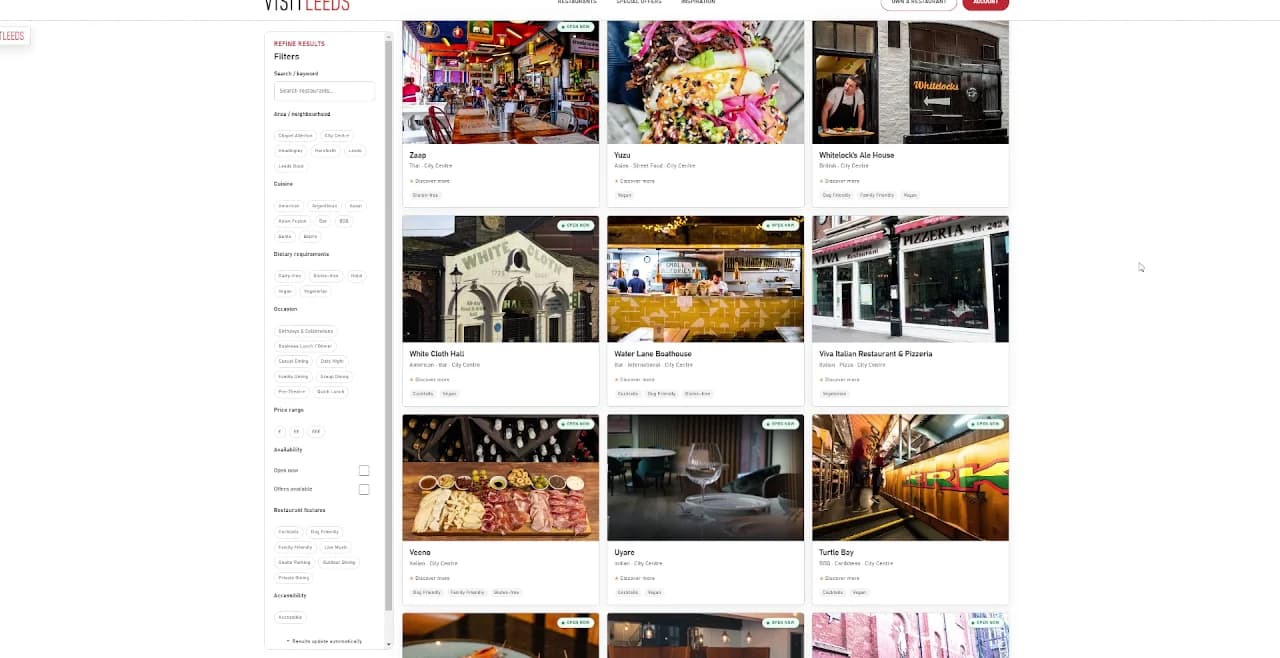
  6. Cards that answer the first questions

    Each card leads with a large photo, then the name, cuisine, area and tags, with pages of results below.

    Why it worksA photo and a few key facts are usually enough to decide whether a place is worth a click. Keeping cards consistent makes a long list easy to scan.

    More restaurant cards with photos, names, cuisines and tags, and pagination
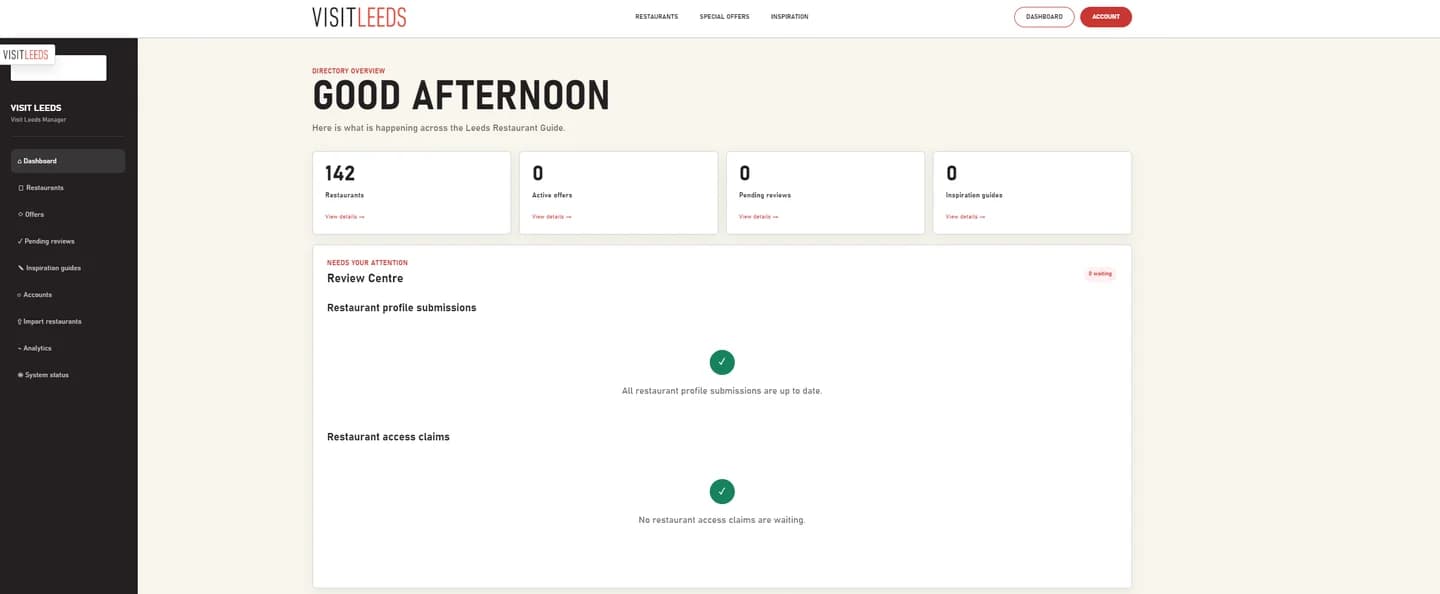
  7. A dashboard that doesn't look like WordPress

    The Visit Leeds team signs in to a custom dashboard. It shows restaurants, active offers and pending reviews at a glance, with a Review Centre for new profile submissions and access claims.

    Why it worksThe team's job is to approve good listings quickly, not to learn WordPress. A purpose-built view puts the things that need attention first and keeps everything else one click away.

    The Visit Leeds dashboard: Good afternoon, with counts for restaurants, offers, pending reviews and guides, and the Review Centre

Under the hood

Built to run without the busywork.

The platform is designed so the guide keeps itself accurate, with Visit Leeds in control of what gets published.

  1. Owners keep their own pages fresh

    Each restaurant has a unique login to update details like opening hours and to submit offers.

  2. Nothing goes live without approval

    Every new listing, change and offer arrives as a draft for the Visit Leeds team to review and publish.

  3. Accounts and roles, kept simple

    WordPress handles only who can sign in and what they can do. Everything visitors and owners see is custom built.

  4. Tools for the team

    The dashboard also covers inspiration guides, account management, importing restaurants in bulk, analytics and system status.

Your project could be next.

Reality has limits. We don't.

Tell us what you’re planning and we’ll show you how we’d approach it.